Move from another official provider
Before switching, you need access to the Meta business portfolio and the WhatsApp account holding the number. If it is missing from WhatsApp Manager, ask the current provider who manages the account.
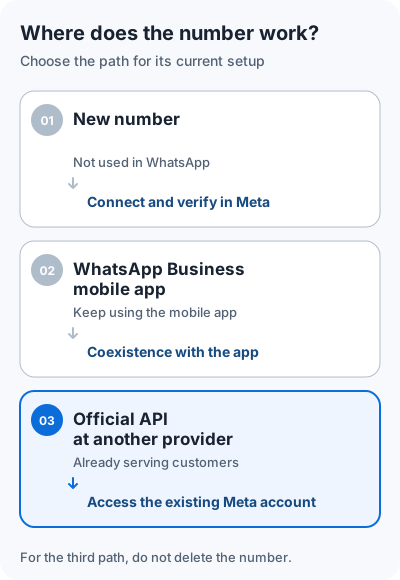
- Agree with TehProf.kz and the current provider on the number transfer, Meta account access and switch time. Check where you can retain access to the earlier conversation history.
- Once the line appears in Dialogs, open Channels → line → Reconnect → Reconnect via Facebook.
- In Meta, confirm that the existing WhatsApp account with your number is selected. If the account is missing or the wizard offers a new number registration, close it and contact TehProf.kz.
- After the agreed switch, send a message from another phone and reply in Dialogs.
If the team uses Bitrix24, connect the WABA tile to an Open Line and check the reply there.
The partner-change process depends on the Meta account type. Deleting a number can disrupt the working connection and does not ensure it can be registered again. Conversations from the previous service are not imported automatically into Dialogs.
Meta: change a phone connection between partners
Message Support on WhatsApp · +7 771 682 74 70 · support@tehprof.kz