Set up incoming WhatsApp calls
For WhatsApp Web, order a line with calls. In Dialogs, employees answer from a computer using the browser microphone.
Dialogs → Channels → line settings gear → Calls
- To answer in Dialogs, enable calls, choose recipients and select even, ordered or simultaneous ringing. Set the time to answer and save.
- Call the line from WhatsApp on another phone. Answer in an open Dialogs window with microphone permission and check audio in both directions.
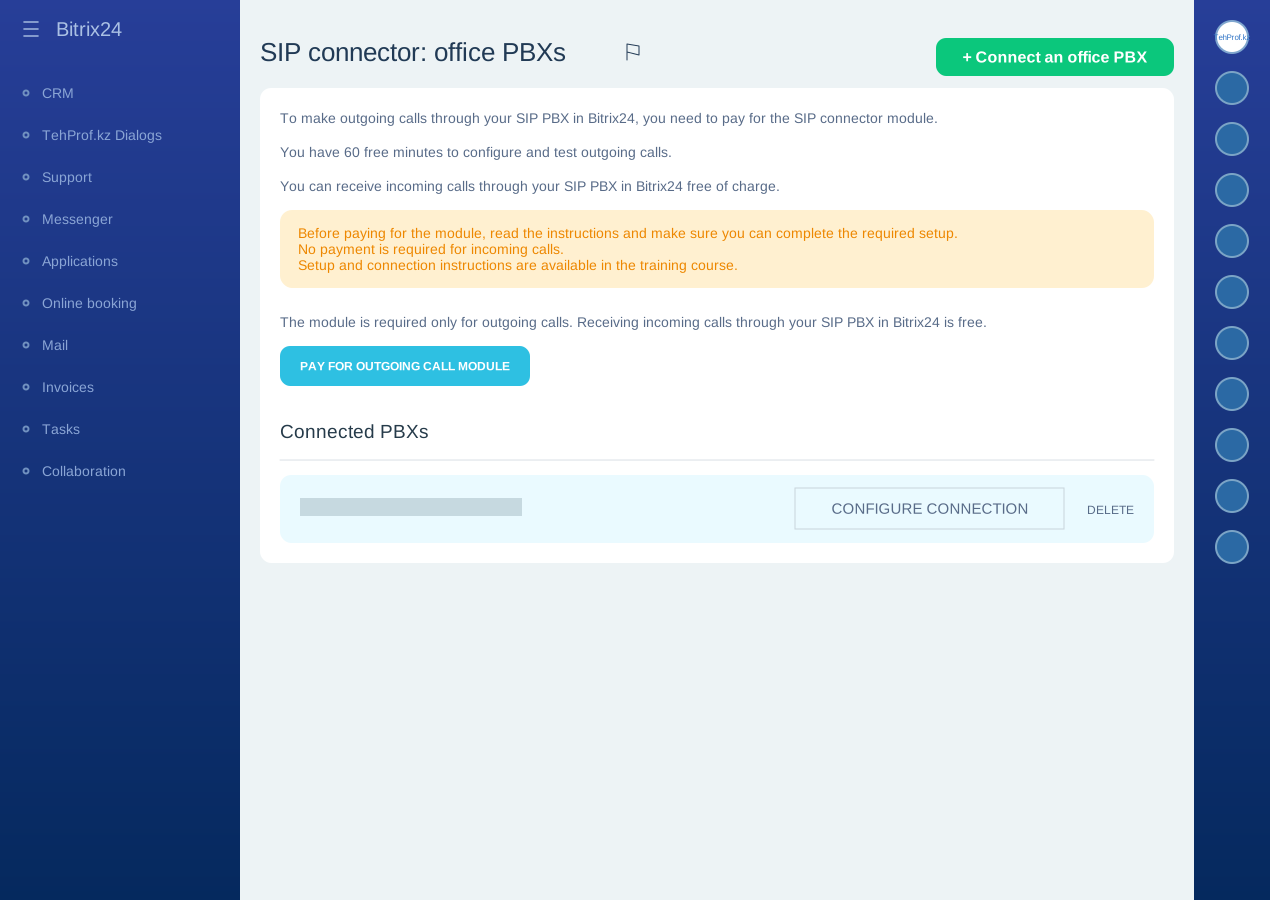
To answer in the Bitrix24 mobile app, connect the SIP route. After switching, calls are received in Bitrix24.
| Where to answer | What is required | What to consider |
|---|---|---|
| Bitrix24 mobile app | The line connected as an office SIP PBX, with recipients assigned | A Bitrix24 plan with telephony is required. Receiving incoming calls does not need a separate paid SIP connector licence. |
| An employee’s WhatsApp | Forwarding through Bitrix24 telephony | A SIP connector licence is needed after trial minutes. The employee sees the line number, not the customer number. An unanswered call does not return to the queue. |
Dialogs → Channels → line settings gear → Calls → Bitrix24 telephony → Connect to Bitrix24 telephony
- Select the intended portal if several are available. Wait for Line created.
- In Bitrix24, open Telephony → Settings → Number settings, choose the created line and assign recipients.
- After TehProf.kz confirms the number is ready, choose Enable call reception through Bitrix24. Check Route: Bitrix24.
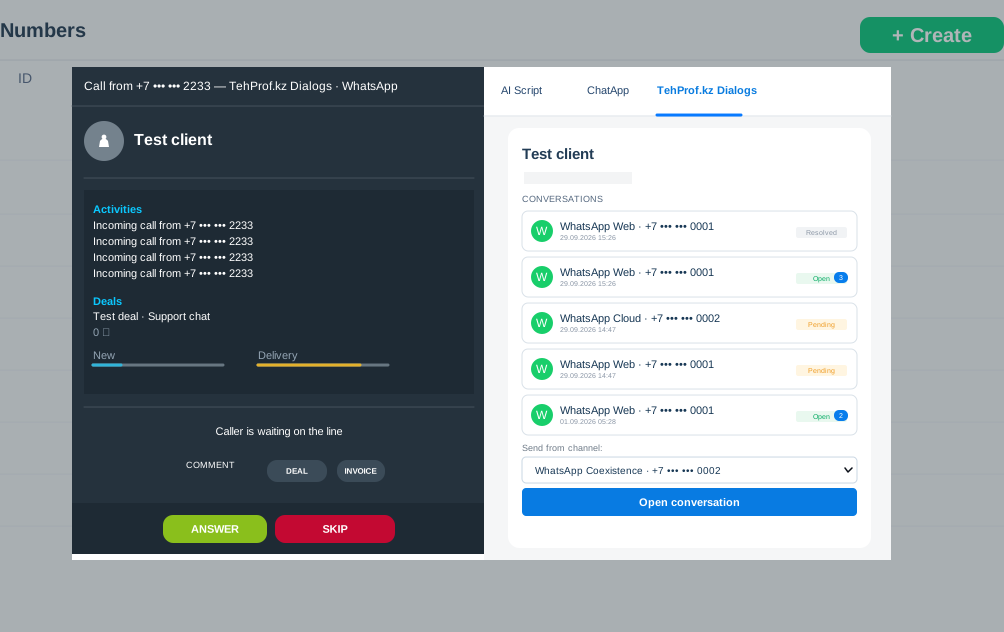
- Call the line and check audio in the assigned employee’s mobile app, including a call with the app in the background.
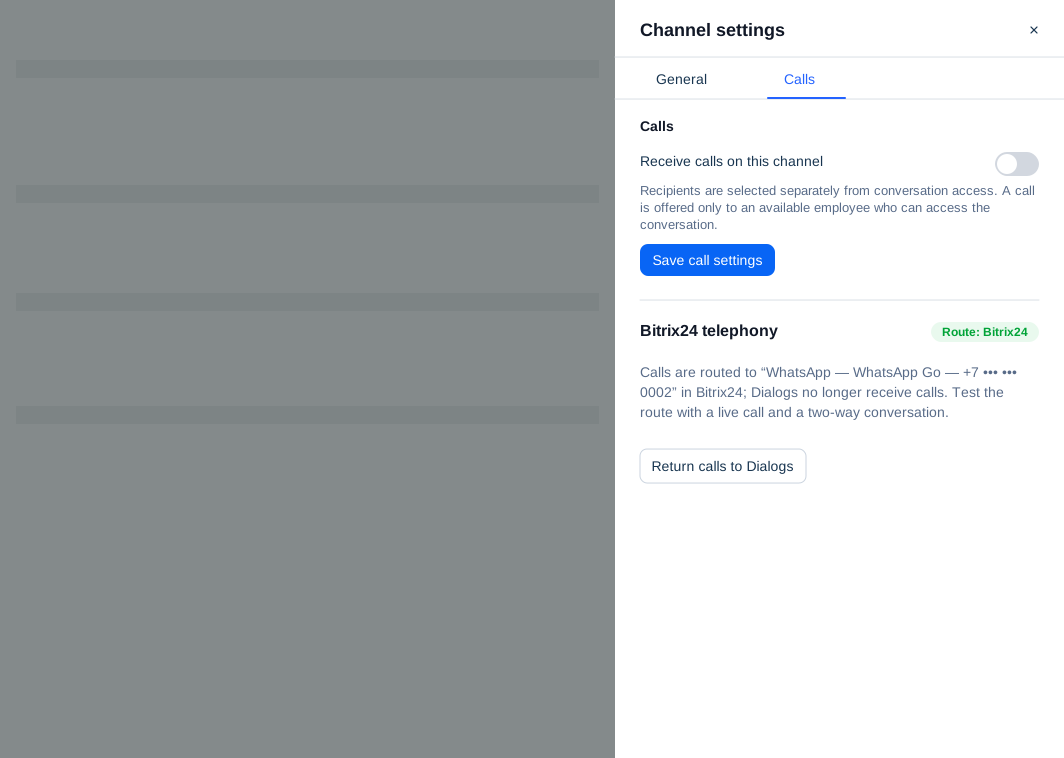
If calls do not arrive or audio fails, choose Return calls to Dialogs, test a new call and send support the line number and failed-call time. An answered call cannot be transferred from the Bitrix24 mobile app; use its browser or desktop app for transfers.
To forward an unanswered call, open Bitrix24 → Telephony → Connection → Number settings → SIP line → Incoming call routing → Group settings → Unanswered call handling. Choose Forward call to the specified number and enter the employee’s WhatsApp number in international format. Immediate forwarding requires an empty queue with the greeting, voice menu and responsible-agent routing disabled. Test the call and audio in both directions.
Call availability and Meta eligibility are checked separately for official WhatsApp. Ask TehProf.kz whether calls are ready for your number.
To find call history and a recording, open the conversation → Calls and recordings in the customer panel on the right → the intended call. If a recording is available, play it in the call details.
Bitrix24: answer calls in the mobile app
Bitrix24: connect an office PBX through SIP