Save a reply for WhatsApp Web
On a WhatsApp Web line, a template is a saved team reply. It is available as soon as you save it, without Meta review. Variables let you change the customer name, order number and other values for each send.
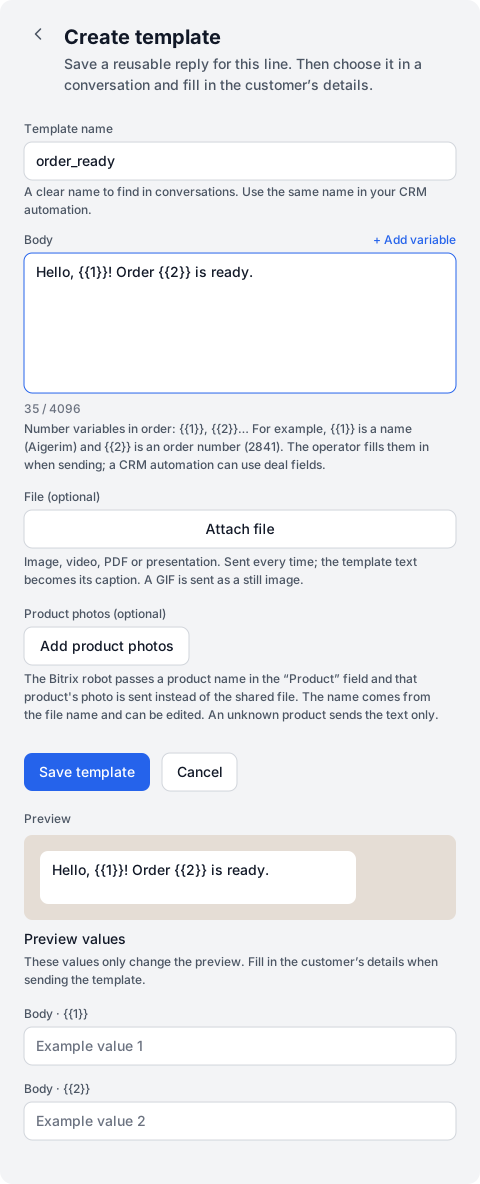
Dialogs → Channels → WhatsApp Web line → Templates → + Create template
| Field | What to enter |
|---|---|
| Template name | order_ready: the name the team will use to find the reply. Use the same name in the CRM automation action. |
| Body | Hello, {{1}}! Order {{2}} is ready. |
| {{1}} and {{2}} | {{1}} is the customer name; {{2}} is the order number. Number variables in sequence from 1. + Add variable appends the next variable to the body. |
| File | Optional. An attached file is sent each time you use the reply. |
- Enter order_ready and the body from the example. Leave File empty for this first reply.
- Choose Save template. Find order_ready in the list.
You can enter Aigerim and 2841 under Preview values to check the wording. These values only affect the preview; fill in the customer’s details again when sending.
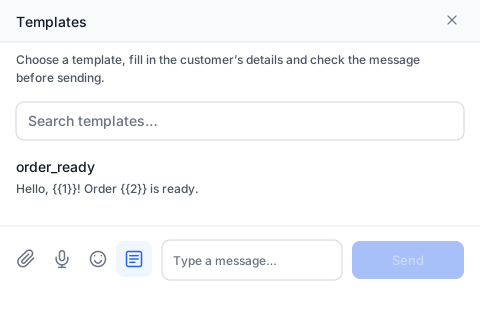
- Open an existing conversation, press + beside the reply field and choose Template. Select order_ready.
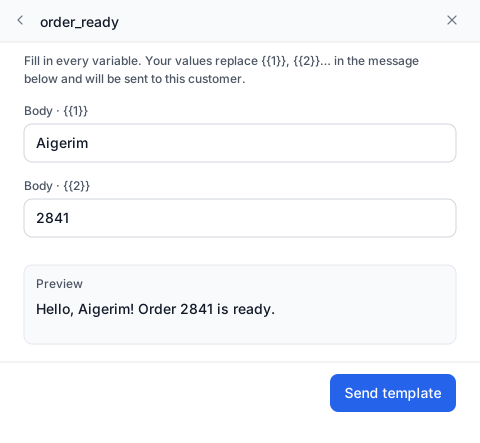
- Enter Aigerim in Body · {{1}} and 2841 in Body · {{2}}. Check the preview: Hello, Aigerim! Order 2841 is ready.
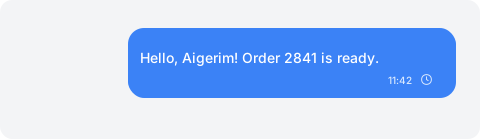
- Choose Send template and check the message in the thread.
Our own templates work in any chat, including a Meta line while the 24-hour window is open. In the templates panel, + creates a template in one step: Only me or Everyone in the company, on all lines or this one; Save text as a template in the + menu turns a typed reply into a template. Search finds templates by name, text, buttons, file and kind — mine, shared, Meta. Language, purpose and kind are under the funnel button beside the search.
If there is no conversation yet, create one with + and send a plain-text first message. You can then select the saved reply in the open chat.
If needed, add a file or Product photos. To select a product photo, the CRM action passes the product name; if it is missing from the list, only text is sent. Video notes and stickers have no caption: the file and text are sent as two messages.