Give employees access
Dialogs → Settings → Operators; then Channel access
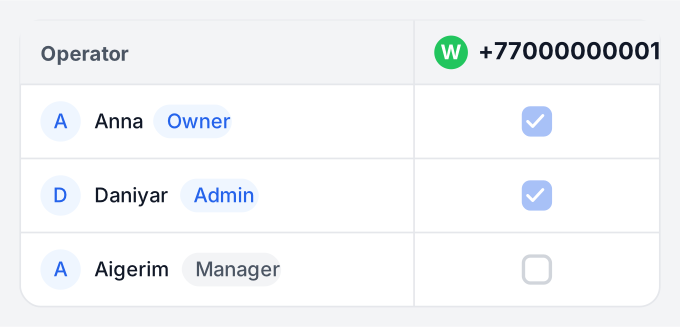
- As an owner or administrator, open Operators and find the intended employees.
- In Channel access, select numbers for each employee. To grant access by department, use Assign channels by department.
- Sign in as the employee and check that the intended conversation is available.
To reply in Bitrix24, employees also need app access, Open Line permissions and a place in its queue. Call recipients in Bitrix24 telephony are assigned separately.
Under Settings → Integrations, check Chats for responsible agents only. When enabled, an agent sees conversations for customers they own in this portal. If an employee is missing from the list, give the TehProf.kz administrator the portal address and employee name.
If the Marketplace app will not open, a Bitrix24 administrator checks Apps → Marketplace → More → Installed apps → TehProf.kz Dialogs → ··· → Access. For a local app, check Apps → Developers → Integrations. An empty app access list allows all employees; if the list has entries, add the intended employee or department.
Allow browser notifications and test them with a message. Keep Dialogs open; notifications stop after its tab closes.
For an Open Line, configure Bitrix24 notifications.