WhatsApp call in the deal and CRM feed: recording and summary
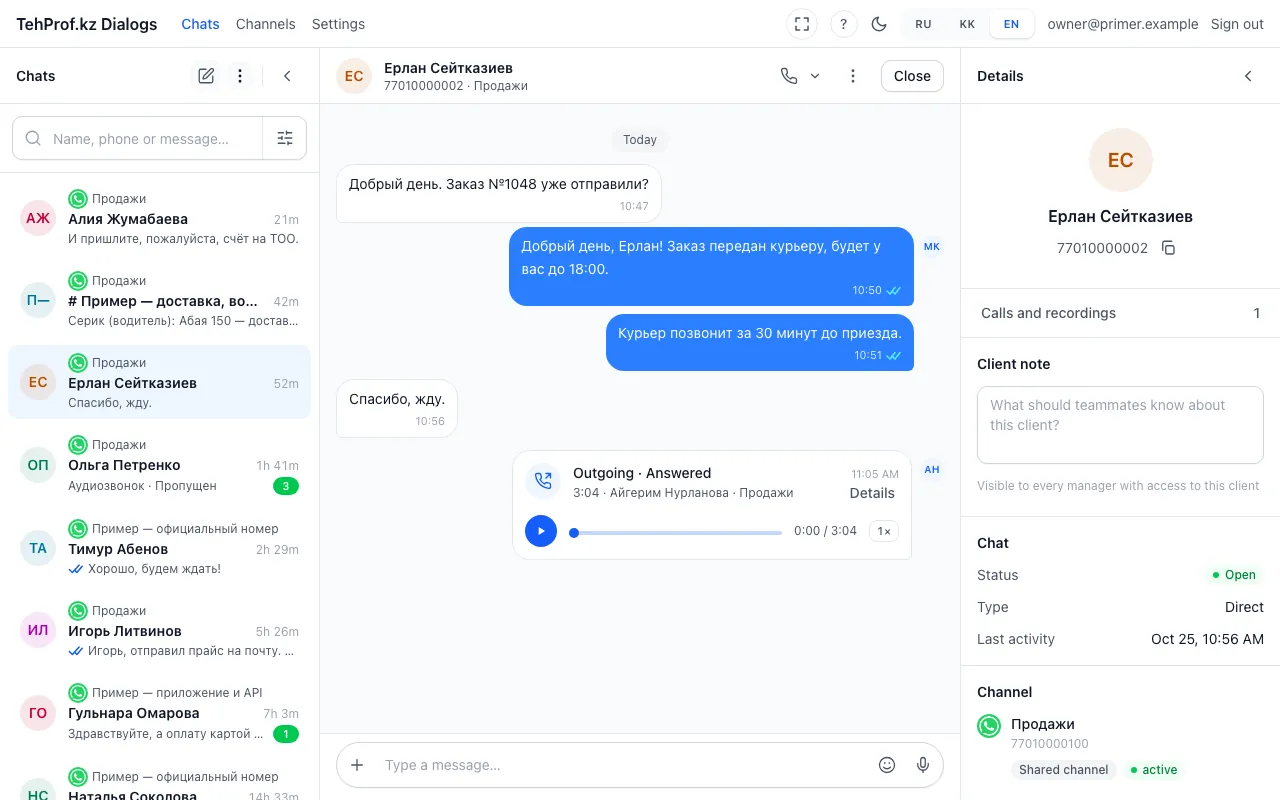
- The call: outgoing, answered, length, who spoke
- The recording — you can play it right here
- “Calls and recordings” — all calls of this client
A call through a connected line now stays in the client’s CRM too. A manager sees it in the card feed and in the deal, with the recording and a short summary next to it. It works in both Bitrix24 and amoCRM. Calls are switched on by a separate line option; recording and transcription are described in call recording.
- Turn on the calls option and a CRM for the line — see WhatsApp calls.
- Call a customer or take a call in Dialogs.
- Open the client card or the deal in the CRM: the call is signed “Звонок WhatsApp · TehProf Dialogs”, the recording and the summary are next to it.
- Choose what happens to a call from an unknown number in the line settings: “Call from a new number in the CRM”.
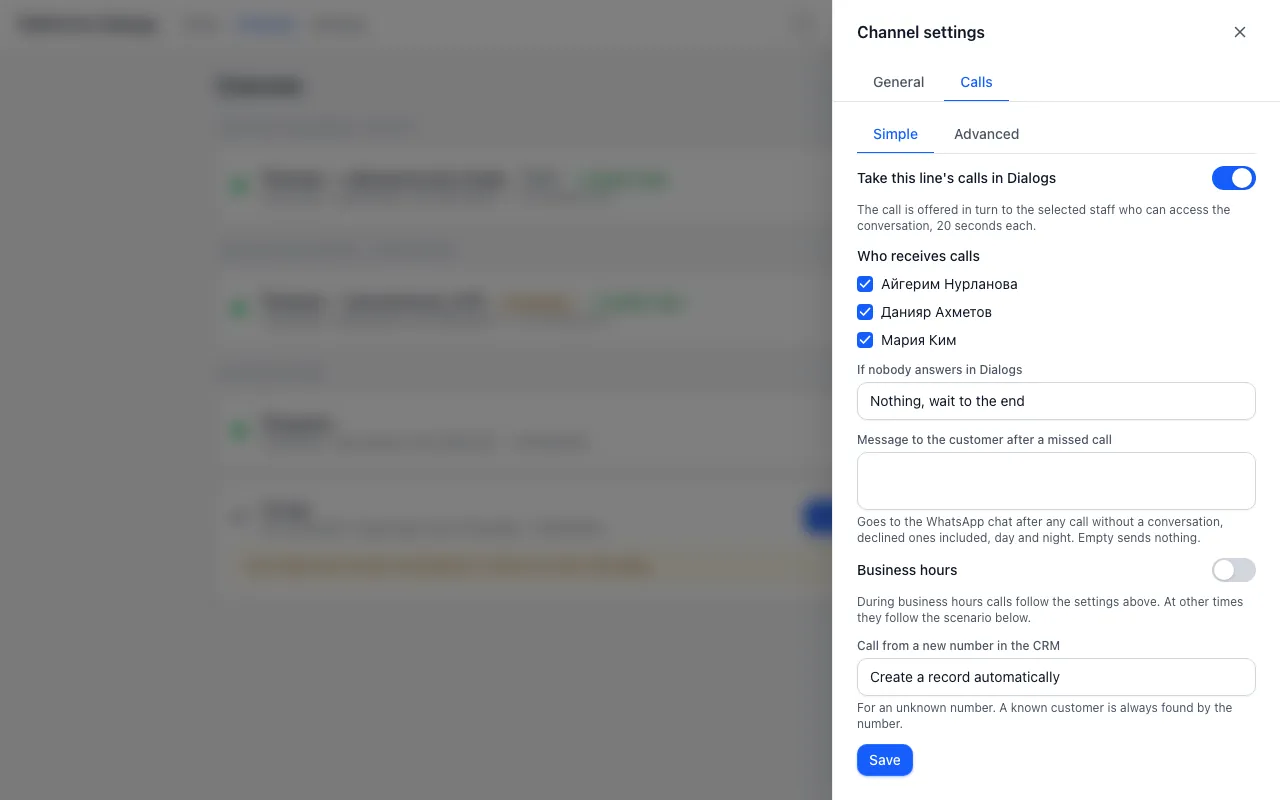
- Call from a new number in the CRM: create a record automatically or offer to create it in the call window
Dialogs → Channels → line gear → Calls → Call from a new number in the CRM
Read more in the article A WhatsApp call in the deal and CRM feed: what the manager sees.