Dialer in the chat: recent calls, keypad and digits
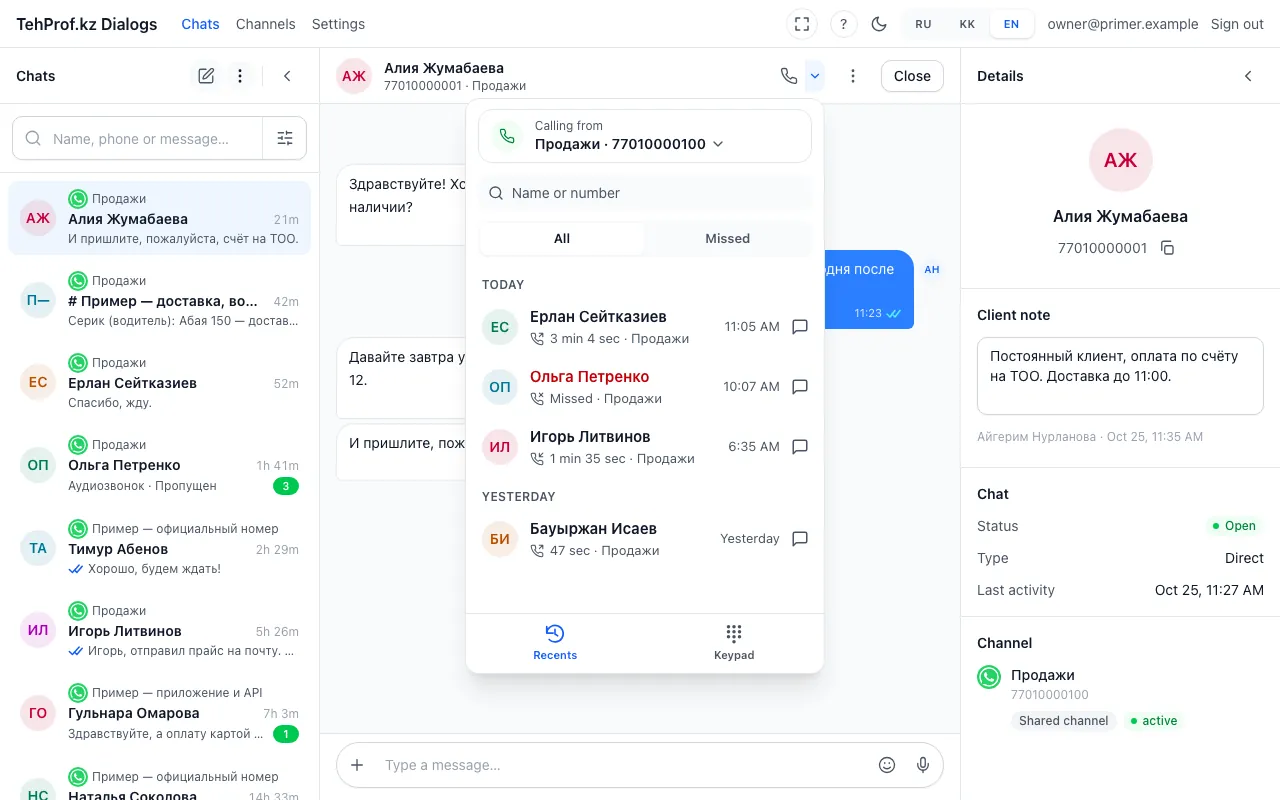
- The arrow next to the call button opens the dialer right in the chat
- Missed calls are a separate tab
- A missed call is red; tap the row to call back
- Switch to the keypad
The call button in a chat now has an arrow. It opens the dialer like on a phone: recent calls, missed ones in red, a keypad for any number and digits during a call. Make your usual line the default — the dialer offers it in the browser, amoCRM and Bitrix24. Receiving calls is set up in WhatsApp calls. On an official line the customer must allow calls first — see the permission request template.
- Open any chat and press the arrow next to the “Call” button.
- In “Recents” tap a person’s row — the call goes to them from the same line. A row like “Name (4)” means you talked four times.
- The person is not in the list — open “Keypad”, type or paste the number and press “Call”.
- During a call press “Keypad” in the call card to send digits — for example “press 1” at an answering machine.
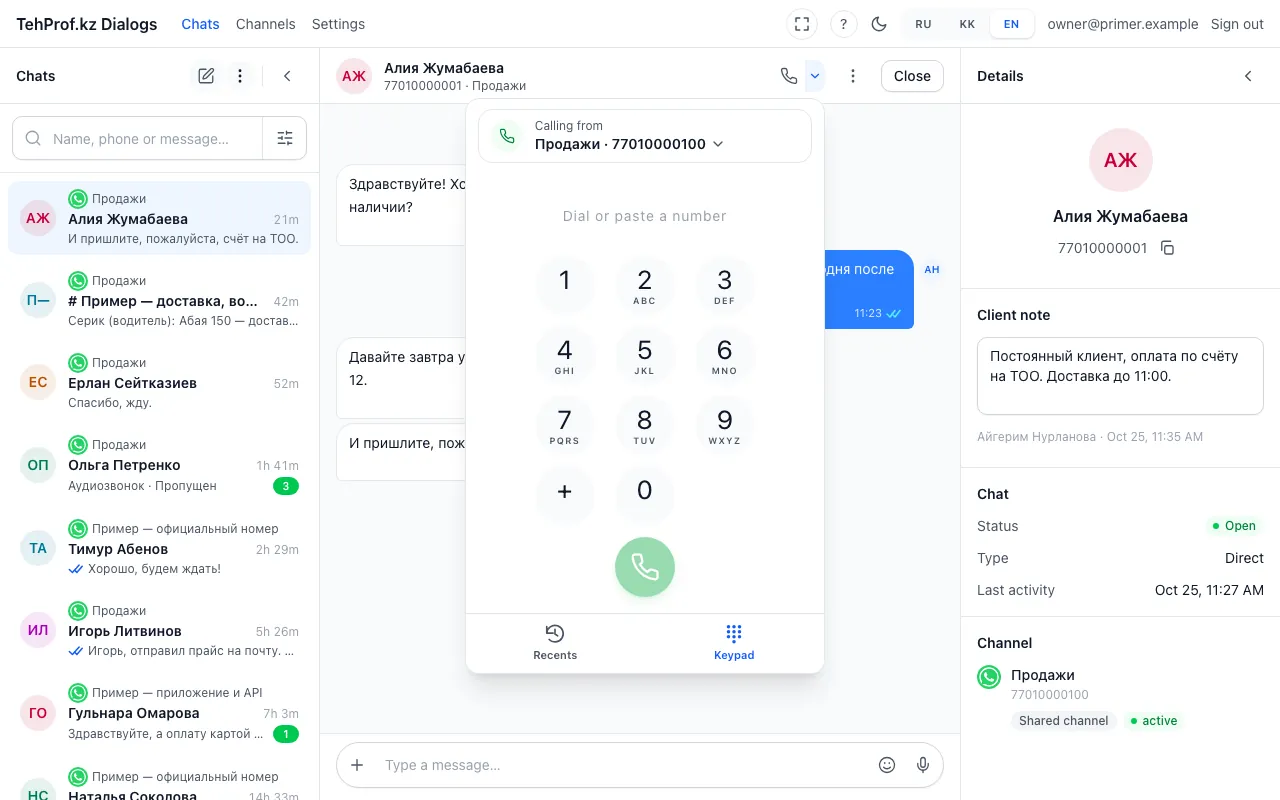
- The line the call goes from
- Type or paste a number
- The “Call” button
Chat → the arrow next to the “Call” button
Read more in the article Call a customer: recent calls, keypad and digits during a call.