Meta templates in a web-line chat and “Save as template”
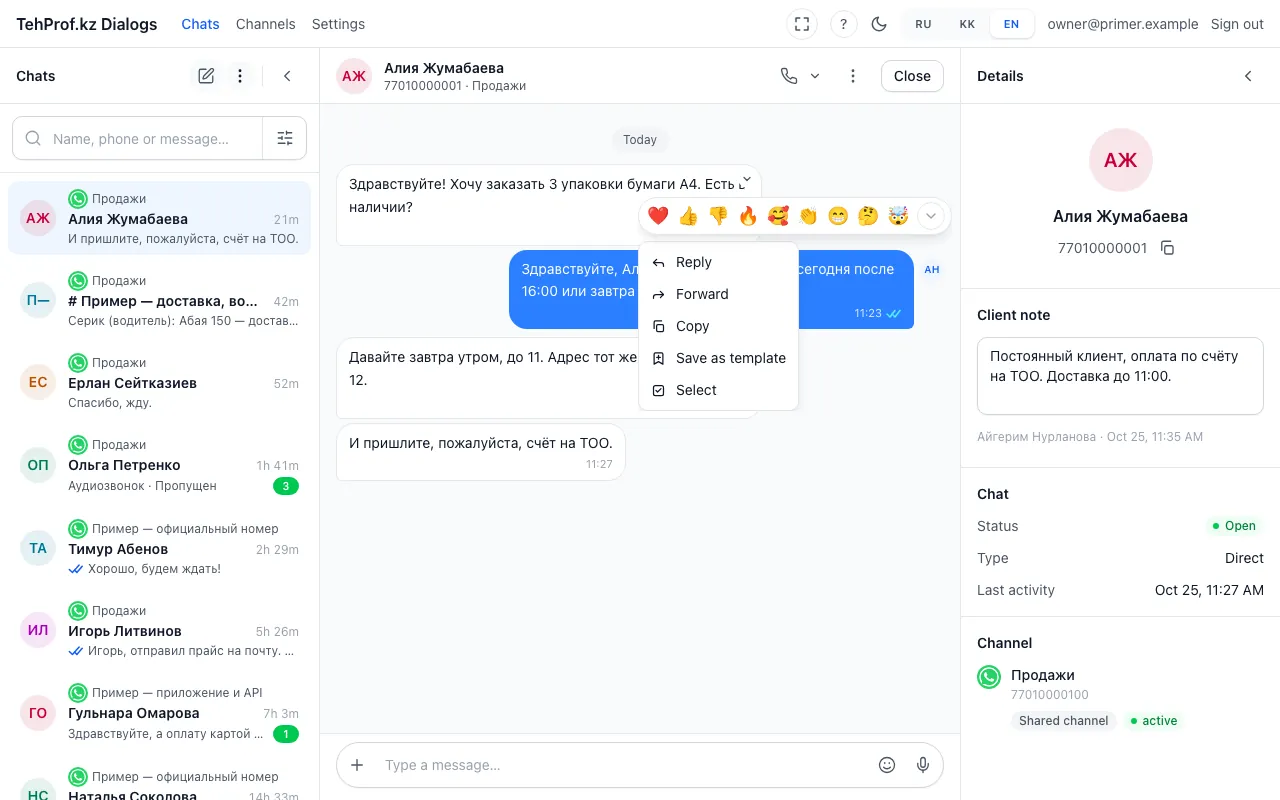
- The “Save as template” item in the message menu
A chat of a WhatsApp Web line now has approved Meta templates: they go out as a plain message and the customer does not see it is a template. Any good message can be saved into your own templates with “Save as template”. Which Meta templates employees see at once is up to the administrator — see finding templates. How to create Meta templates is in official templates.
- Open a chat on a WhatsApp Web line, press “+” → “Template” and turn on “Meta” — “Show Meta templates of other lines”.
- Choose a template labelled “Meta”, fill in all variables and press “Send template”.
- To save a message as a template, open its menu in the conversation and choose “Save as template”.
- For the administrator: open “Channels → the Meta line → Templates → Meta templates” and tick “Offer in web line chats” on approved templates.
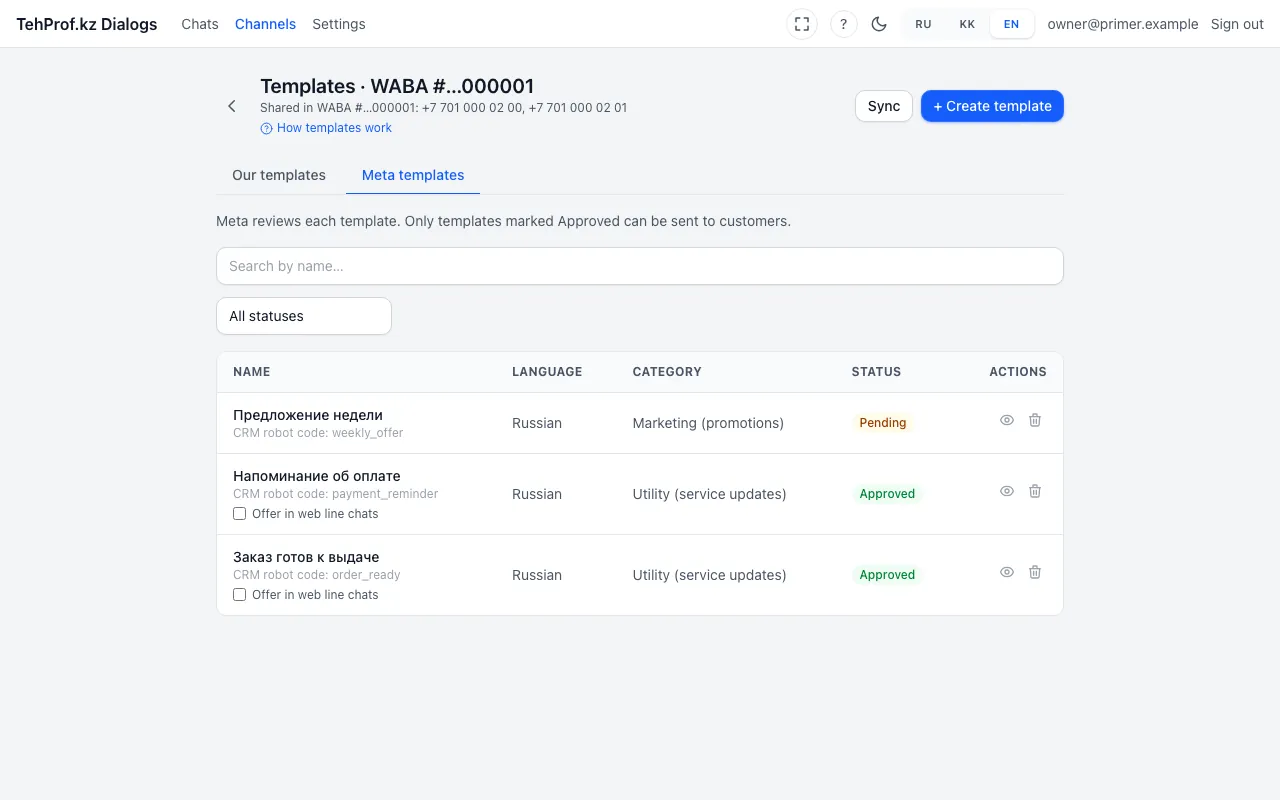
- The “Meta templates” tab
- The “Offer in web line chats” tick on an approved template
Chat → “+” → “Template” → “Meta”
Read more in the article Meta templates in a web-line chat and “Save as template”.