Your own templates in any chat: favorites, recents and “/”
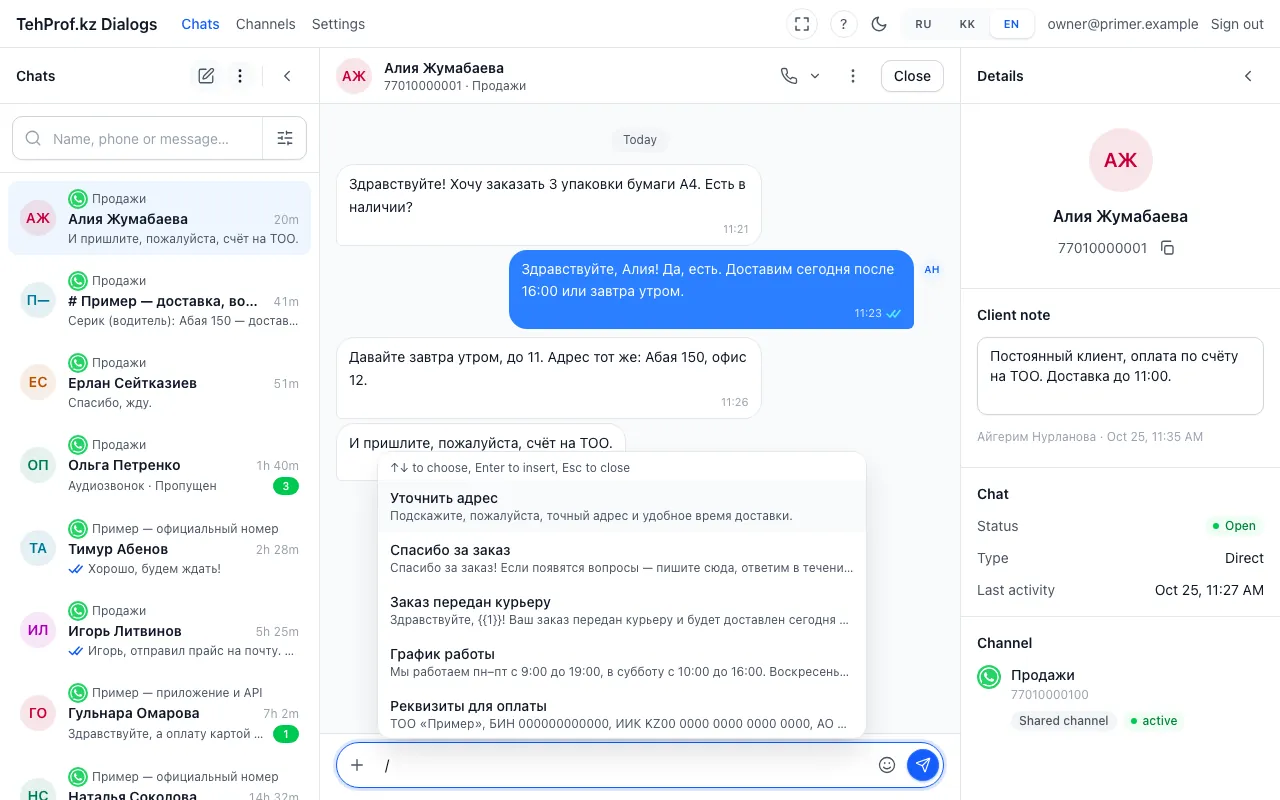
- Type “/” in the message field
- The list of templates: matches of what you type come first
- Hint: arrows to choose, Enter to insert, Esc to close
Own templates used to exist only on WhatsApp Web lines. Now personal and shared templates are available in a chat of any line. The templates window puts favorites and recents on top, and “/” in the message field inserts the one you need in a second — see finding templates fast. WhatsApp Web line templates are still kept on the line page: how to save one.
- Open a chat, press “+” next to the reply field and choose “Template”.
- Press the star next to a template — it moves to “Favorites”. Templates you send land in “Recents” by themselves.
- Or type “/” in the message field, start typing the name, choose with the arrows and press Enter.
- Nothing fits — create your own and choose “Only me” or “Everyone in the company”. All templates of a line are on its page.
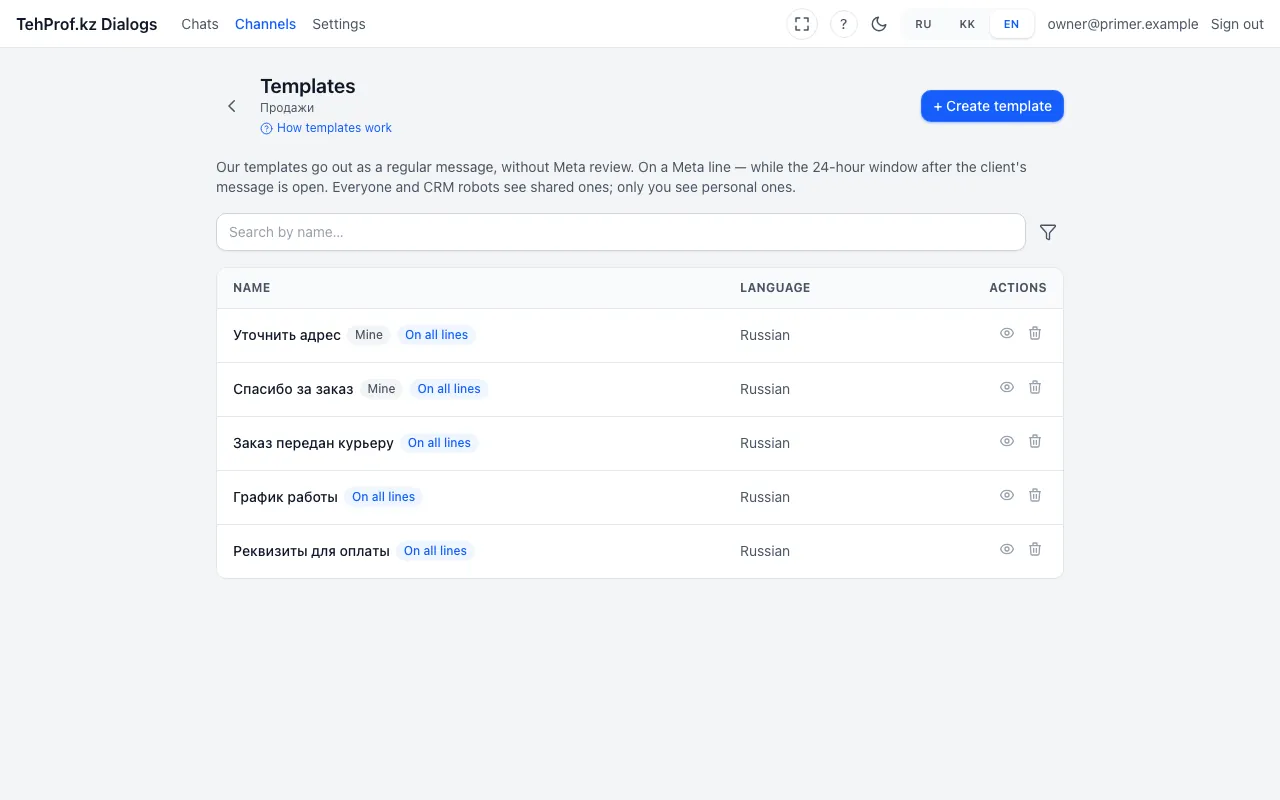
- The “Create template” button
- “Мой” is a personal template, only you see it
- “На всех линиях” — the template works on every line
Chat → “+” → “Template”
Read more in the article Find a template fast: favorites, recents and “/” in the message field.