Call route: steps in order, each with its own time
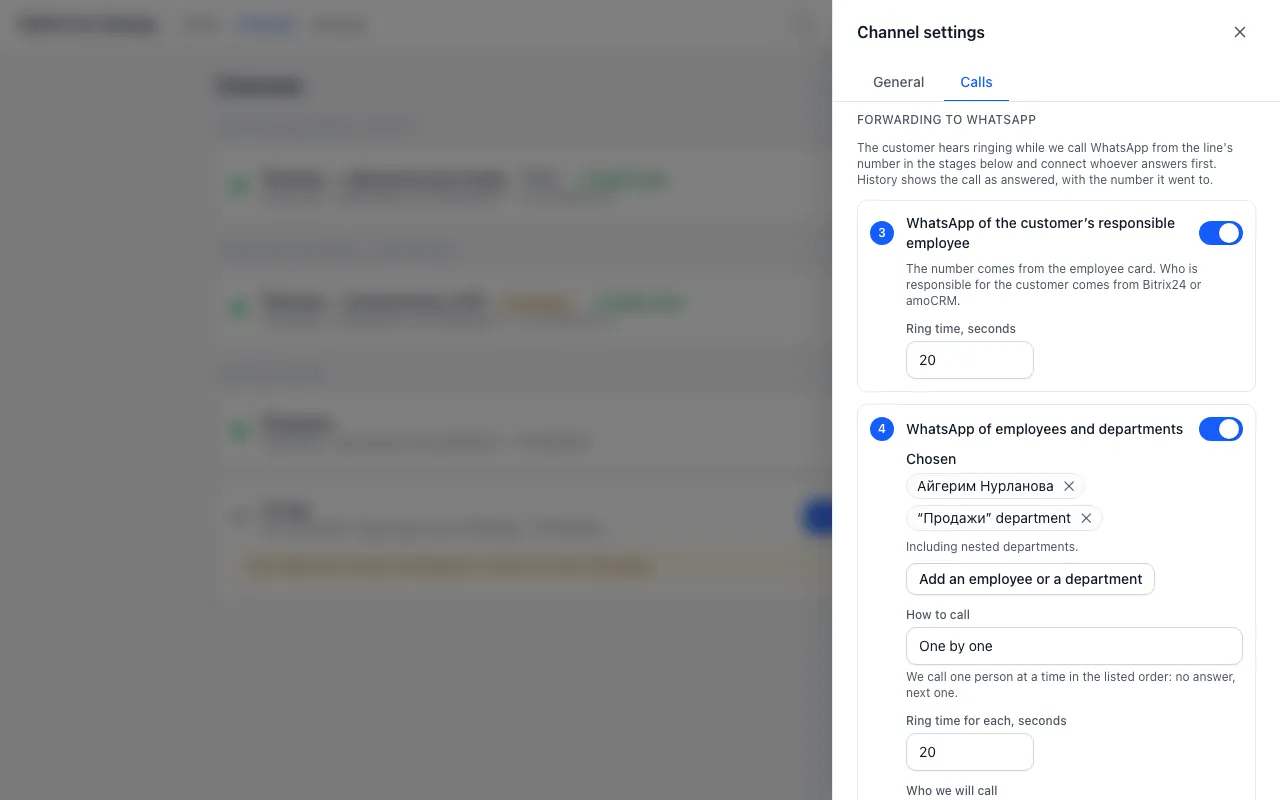
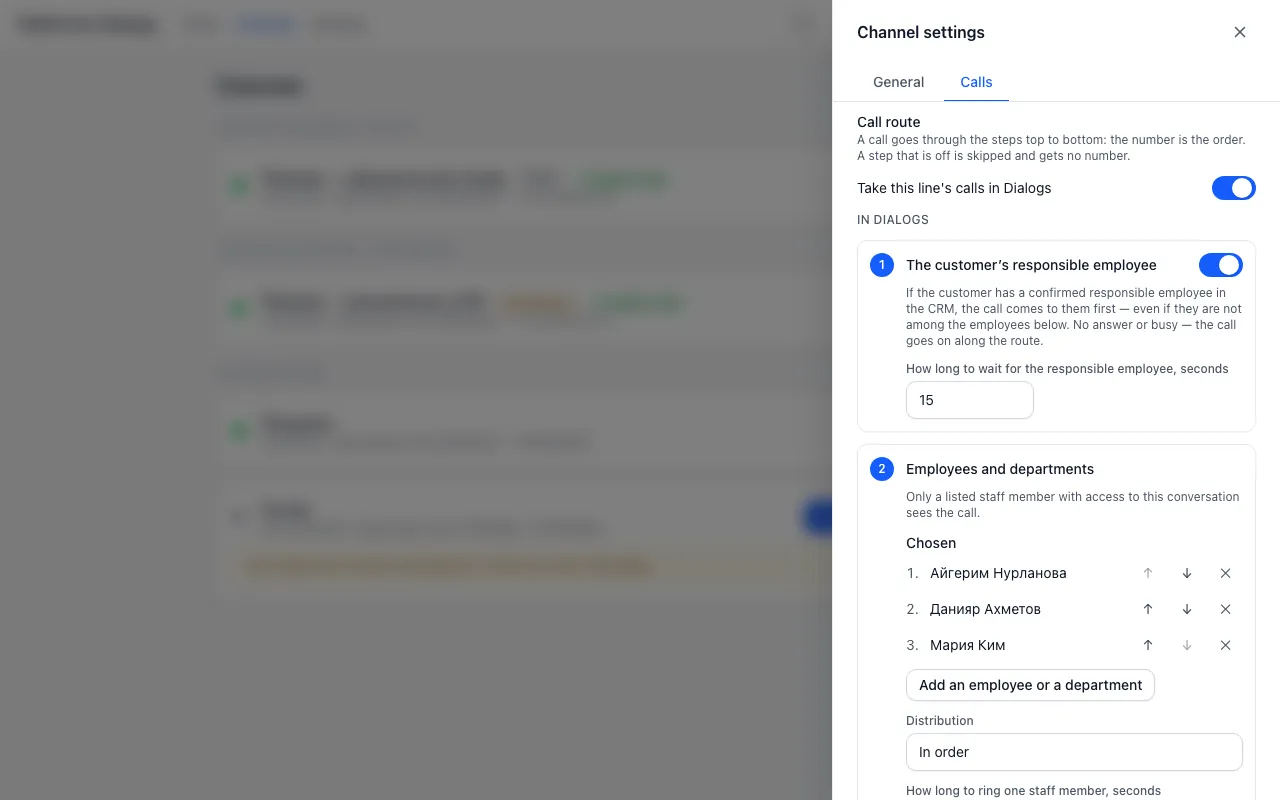
A line’s Calls tab is now a call route. The call first comes to the customer’s responsible employee from Bitrix24 or amoCRM, then to staff and departments in Dialogs. If nobody takes it — the WhatsApp of the responsible employee, of staff and departments, then the number list. A step’s number is its place in the queue, and each step has its own time. The employee’s WhatsApp number lives in “Settings → Operators”. To turn call intake on, see Set up WhatsApp calls.
- Open the Calls tab of the line. Turn on the step “The customer’s responsible employee” and set how long to wait for them.
- In “Employees and departments” press “Add an employee or a department” and pick the ones you need. Set the distribution and the time.
- In “If nobody answers in Dialogs” choose “Forward to WhatsApp” and turn on the WhatsApp steps you need, each with its own time.
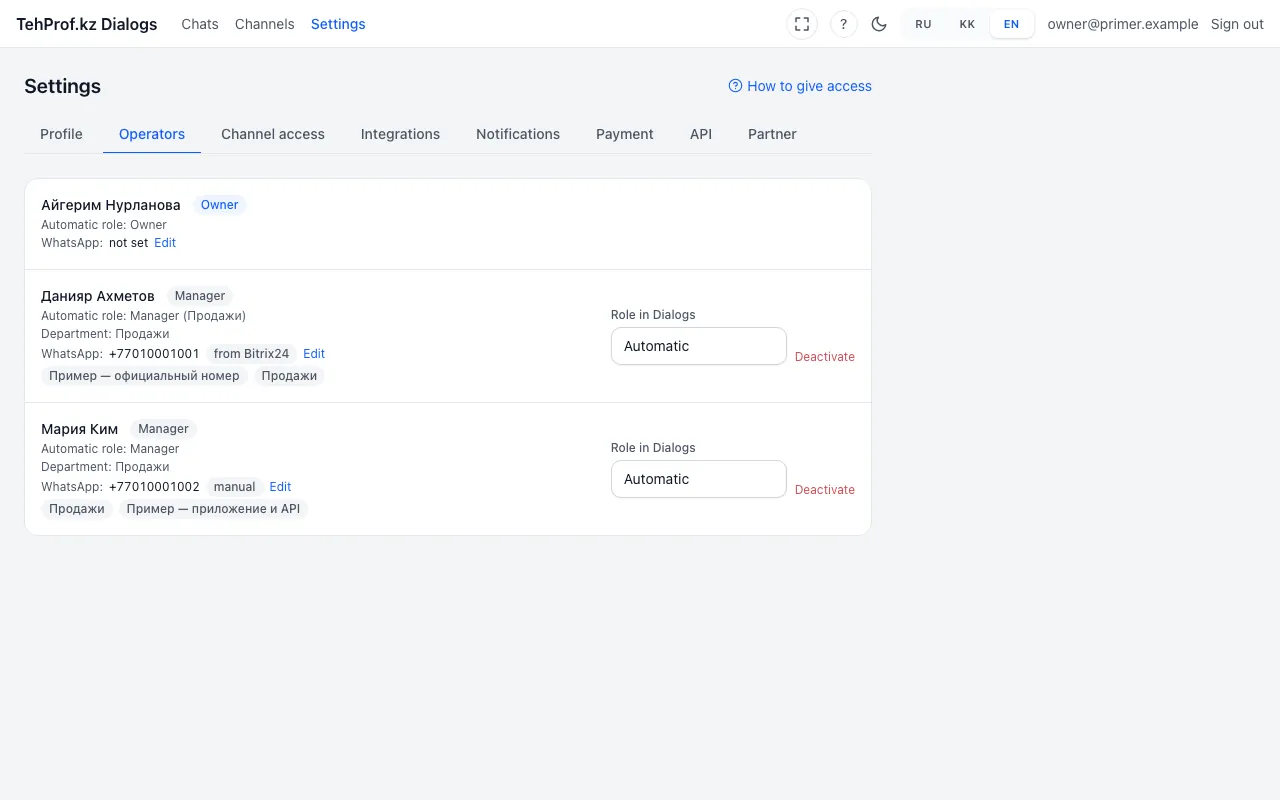
- Check each employee’s WhatsApp number: “Settings → Operators → “Edit””. It comes from Bitrix24 or amoCRM, but you can type it by hand. An empty field brings back the automatic number. The “not on WhatsApp” mark means the call will not reach.
Dialogs → Channels → line settings gear → Calls
Read more in the article WhatsApp call route: responsible employee, staff, departments and forwarding step by step.